Browse
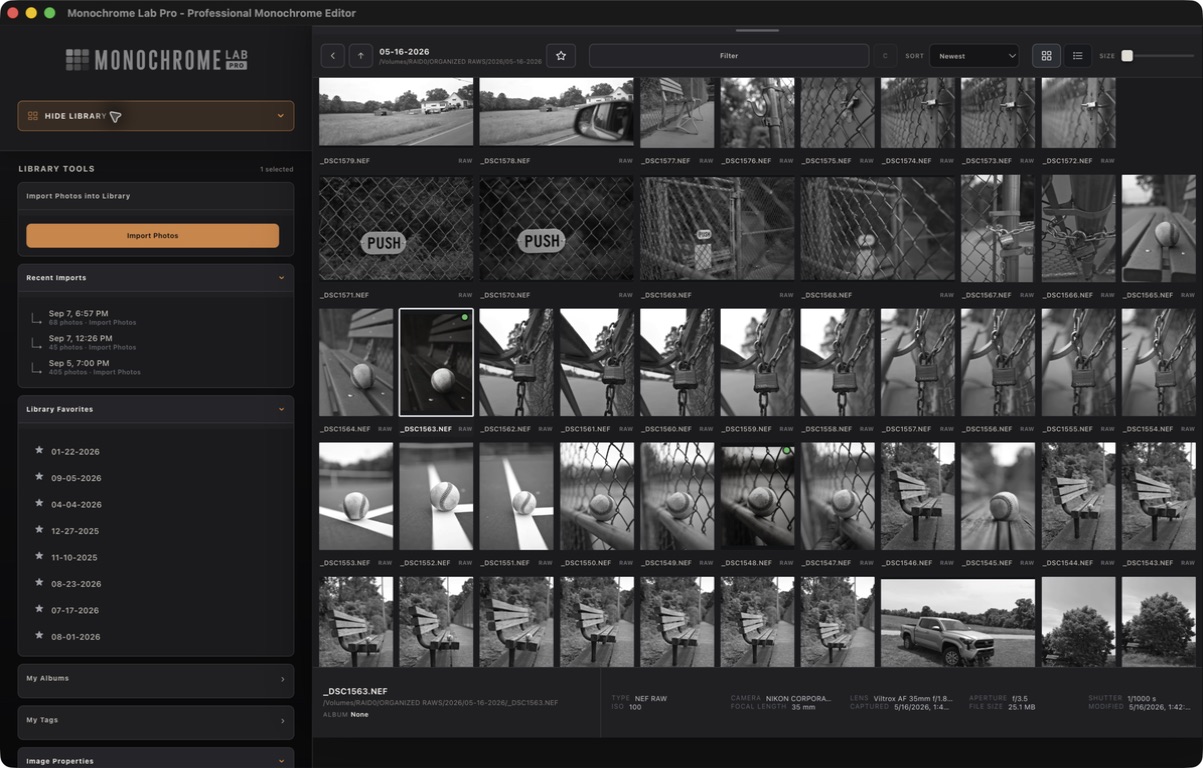
Move through folders, search, and open photographs already organized in your MLP Library.

MLP REMOTE / INCLUDED WITH PRO
Use your iPhone or iPad to browse, edit, import, and share. Your Mac at home keeps the originals and runs the real Monochrome Lab Pro renderer.
No router setup · One private code · Originals stay on your Mac
Your phone is the window. Your Mac is the darkroom.
WHAT REMOTE DOES
Move through folders, search, and open photographs already organized in your MLP Library.
Use the familiar Light, Detail, Finish, crop, and canvas controls from a touch-first screen.
Send the edit home. MLP renders the original and returns a finished JPEG ready to save or share.
Connect an SD card reader to your phone or iPad and send selected originals into your home Library.
SET UP ONCE
There is no server address, network configuration, or router work.
On your Mac, choose Monochrome Lab Pro → Set Up MLP Remote…
Choose your export folder and select Turn On Remote. MLP gives you a one-time code.
Open remote.monochromelab.app and enter the code.
Keep your Mac awake, online, and running Monochrome Lab Pro. Remote reconnects automatically if the Mac becomes available again.
Open MLP Remote →PRIVATE BY DESIGN
Remote uses private previews for browsing. Your Mac performs the final render and saves it to your chosen MLP export folder. A camera original moves only when you explicitly import it from your mobile device.
GOOD TO KNOW
No. MLP Remote is included with Monochrome Lab Pro.
No. Open MLP Remote in Safari. Use Share → Add to Home Screen for an app-like launch.
No. Your Mac runs the Monochrome Lab Pro engine. Remote is the interface to that renderer and Library.
Yes. Select multiple files from a connected card and send them together to your MLP Library.
MLP REMOTE